JSON test data generator
Design a schema and export a pretty-printed JSON array with proper types — numbers stay numbers, booleans stay booleans, blanks become null. Perfect for fixtures and mock APIs.
What the output looks like
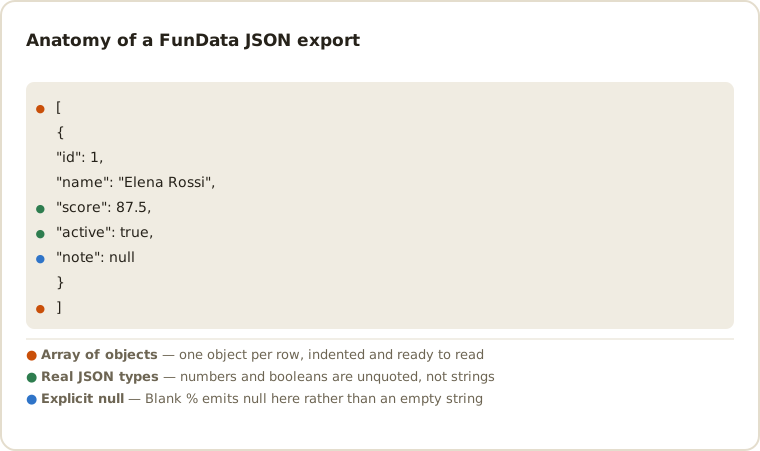
[
  {
    "id": 1,
    "full_name": "Elena Rossi",
    "email": "elena.rossi7@example.org",
    "is_active": true,
    "last_login": null
  }
]
Why JSON?
JSON is the default interchange format of the web, and unlike CSV it keeps your types:
integers and decimals are emitted as numbers, booleans as true/false,
and fields with a Blank % produce genuine nulls. That makes the output
drop-in ready for unit test fixtures, seed files, Storybook data and mock API responses.
Ideas for the output
- Test fixtures — export with a seed (e.g.
sprint-42) and commit the file; every regeneration is byte-identical. - Mock backends — serve the array from our sibling Fun API Playground or from
json-serverfor an instant fake REST API. - Frontend development — import the file directly and build UI against realistic names, addresses and prices instead of
foo/bar.
Quick recipe: data-driven tests
import users from './fixtures/fundata_100_rows.json';

for (const user of users.slice(0, 10)) {
  test(`signup works for ${user.email}`, async ({ page }) => { /* … */ });
}
Reshaping the array
The export is a flat array of objects, which is the shape most fixtures want. When a
consumer expects something else, jq gets you there without regenerating:
# Wrap in an envelope, as many REST APIs do
jq '{ data: ., meta: { total: length } }' fundata_100_rows.json

# Key the array by id, for a lookup table or a mock store
jq 'INDEX(.id)' fundata_100_rows.json

# Keep only the fields a component actually renders
jq '[.[] | {id, full_name, email}]' fundata_100_rows.json

# Split into per-record files for a fixture directory
jq -c '.[]' fundata_100_rows.json | split -l 1 - fixture-
Types, escaping and compatibility
The export is a valid UTF-8 JSON array. Numeric fields remain JSON numbers, Boolean
fields remain booleans and blank values become null; strings are escaped
with JSON.stringify-compatible rules. That makes one file usable from
JavaScript, Python, Java, .NET and any standards-compliant parser. Choose
NDJSON when a pipeline needs one independently parseable record per line.
JSON removes CSV's ambiguity about types, but it introduces questions of its own. These are the ones that tend to surface once the fixture meets a real parser:
-
Large integers lose precision in JavaScript. JSON numbers have no
size limit, but
JSON.parseproduces IEEE-754 doubles, so an integer beyond 253 silently changes value. If your IDs are that large, generate them as a text field so they stay strings. -
Decimals are binary floats. A price of
129.99parses to a value that is not exactly 129.99. That is correct JSON and a genuine source of penny-rounding bugs — worth generating prices to test against rather than engineering around. -
null, missing and empty are three different things. Blank % emitsnull, and the key is still present. A schema validator that treats a missing key the same as a null one will pass data your API would reject; this is the fastest way to find that out. - Key order is not guaranteed by the spec. The export preserves your column order and repeats it for every record, so byte-comparison of two seeded exports works — but don't rely on order surviving a round trip through an arbitrary parser.
- Dates are strings. JSON has no date type. Timestamps are emitted as ISO 8601 strings, which every parser reads as text until your code converts it.
Common JSON questions
Can I use this output as a mock API response?
Yes. Export a seeded JSON array and serve it from a fixture route, json-server or a test interceptor. See the mock API data guide for schema ideas.
Does JSON preserve nulls and number types?
Yes. Integer, decimal and Boolean fields are emitted as native JSON values, while a field selected by Blank % becomes null rather than an empty string.
Can I generate nested objects or arrays?
Not directly — the schema is a flat list of columns, so the export is a flat array of objects. Nesting is a reshaping step: pipe the file through jq as shown above, which keeps the generator simple and the transformation visible in your fixture pipeline.
Is the JSON pretty-printed or minified?
Pretty-printed with two-space indentation, so a committed fixture produces a readable diff when the schema changes. If you need it compact, jq -c . file.json minifies it; for one compact record per line, export NDJSON instead.
Why is my large ID coming back as a different number?
Because JSON.parse reads every number as a double, integers above 253 can't be represented exactly. Generate those IDs as a text or pattern field so they stay strings, which is also what most APIs do with account and order numbers.
Other formats
The same schema exports to all six dropdown formats — switch with one control: CSV, TSV, NDJSON, SQL, XML — plus a separate one-click .xlsx download. New here? Start with the getting-started guide or the full field type reference.
Last updated